The safest local automation engine
for realistic bloggers.
AI cannot perfectly replace everything 100%. However, simply bypassing bot detection with human-like typing, generating drafts and thumbnails, and safely storing them in your blog's 'Drafts' can reduce your work time to 1/10.
Please rest assured and click [More info] 👉 [Run anyway] to proceed with the installation.
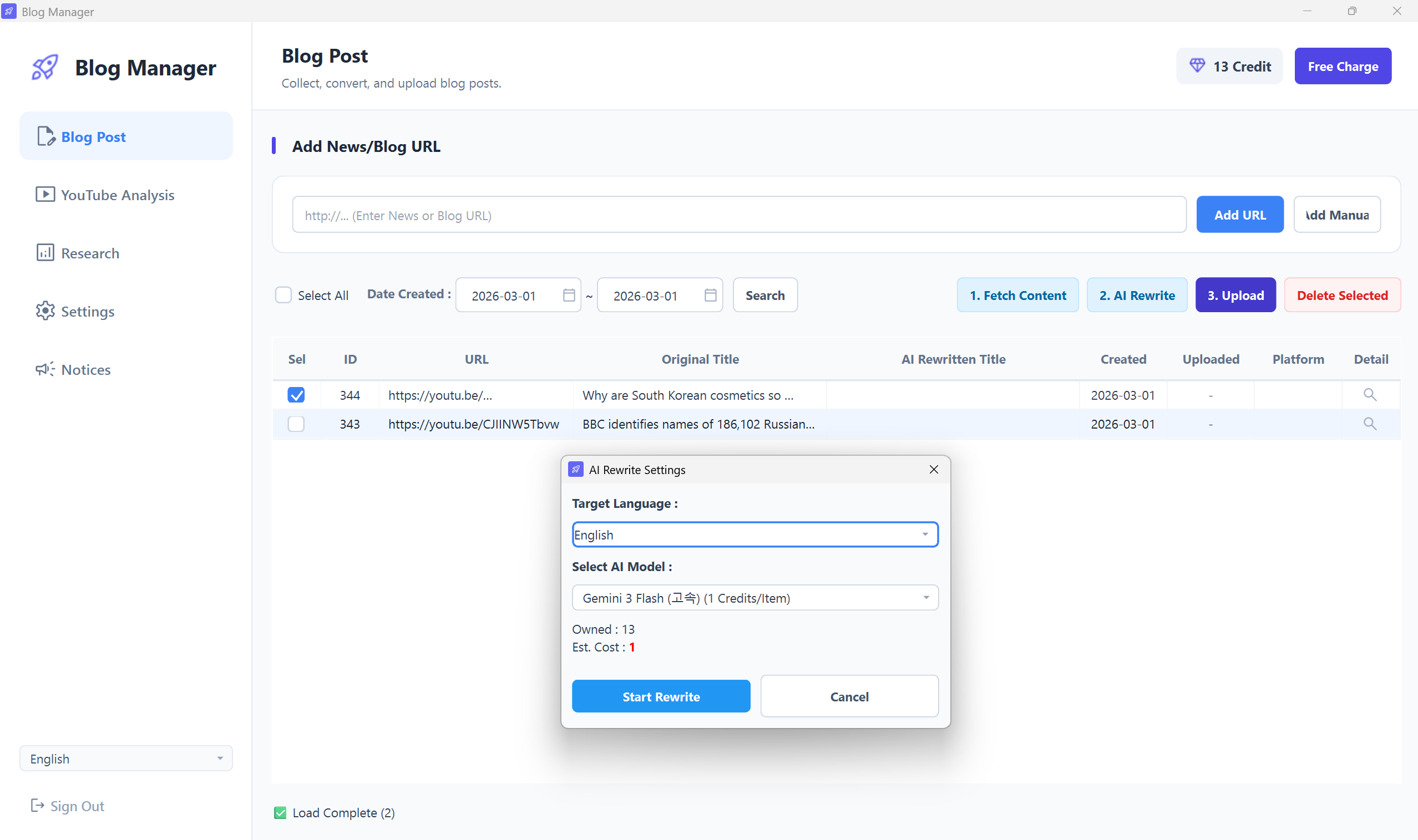
Please insert the PC program main screen screenshot.
The frame will automatically expand to fit the ratio.
Why do experts insist on the PC version?
It's not a simple macro. Check out the details that protect your account and maximize efficiency.
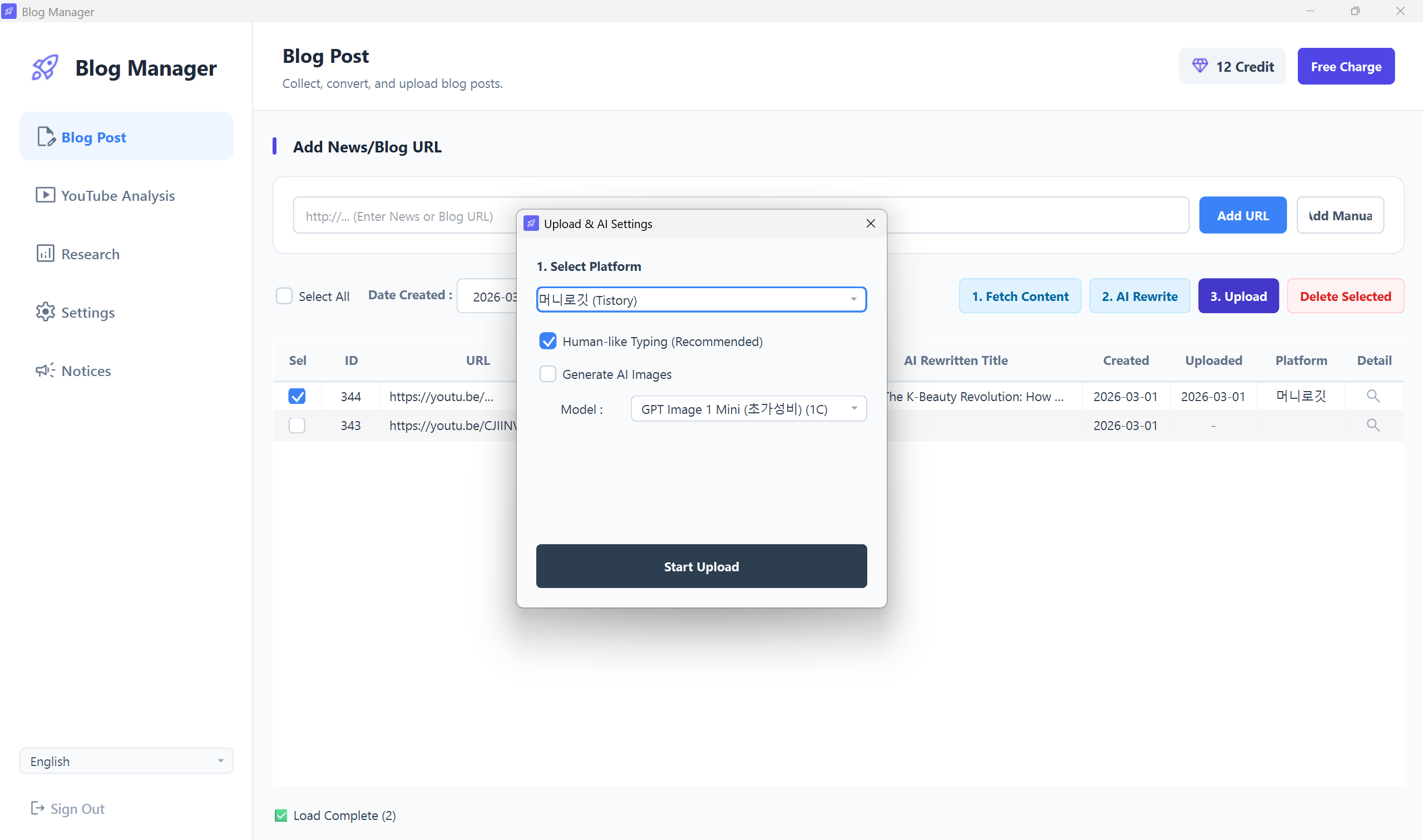
Principle 1 to compensate for AI limitations,
100% Secure 'Draft' Transfer
Generative AI is not perfect and sometimes produces incorrect information (hallucinations). To prevent such unchecked articles from being 'published' directly to your blog, all posts transmitted by the PC engine are unconditionally moved to the platform's 'Drafts' folder.
- After mass transfer, users only need to review the content and images before clicking [Publish]
- Completely blocks the risk of blog index drops caused by publishing unverified manuscripts
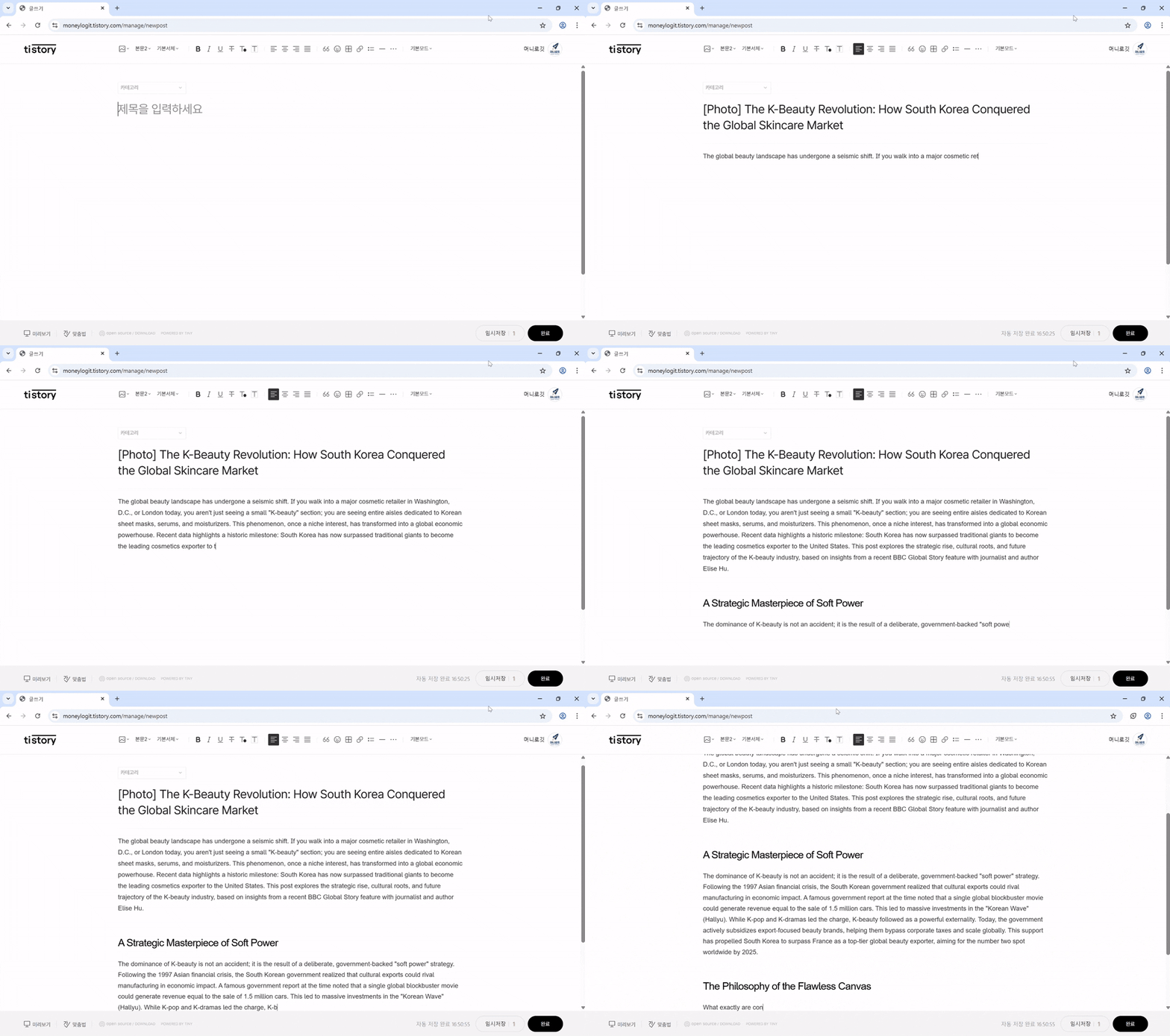
Platform restriction bypass technology,
Human Typing Mode
Mechanically publishing posts in 1 second via API is the #1 target for penalties (abusing) on strict platforms like Naver. This program, based on a local browser (Selenium), simulates the speed and intervals of a real person typing on a keyboard to bypass bot detection systems.
- 100% simulation of a real person's typing speed and delay time
- Overwhelming account safety compared to simple copy-paste methods
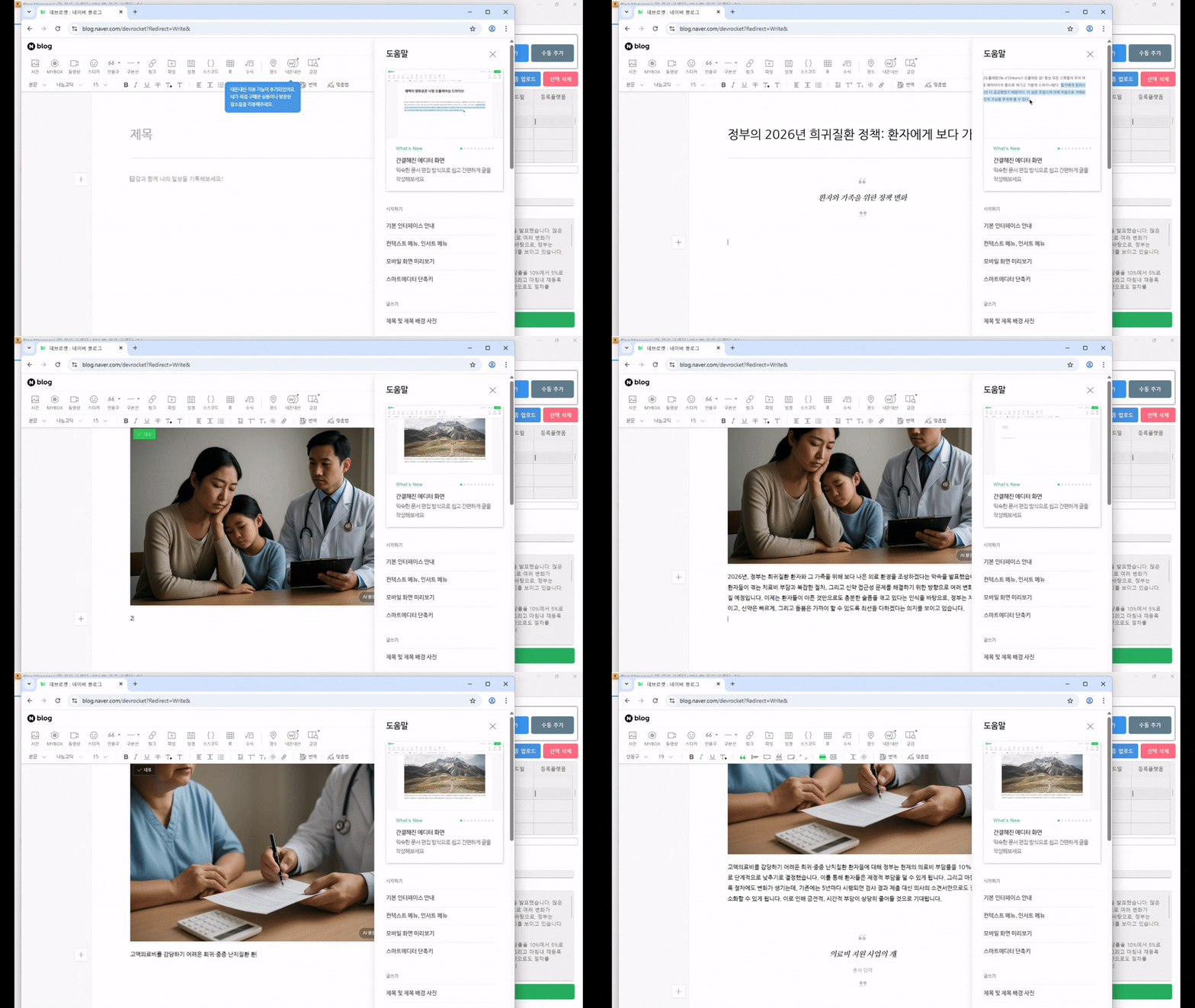
Zero wasted search time,
AI Thumbnail Draft Generation
Are you still wasting time Googling for appropriate images after writing? Turn on the 'Generate Image' option when uploading. AI will attach a thumbnail draft that fits the context of the text and save it as a draft. If you like the image, use it as is; if not, simply replace it in the blog editor before publishing.
- Supports various image generation APIs like DALL-E 3
- Secure your own customized thumbnails without copyright issues
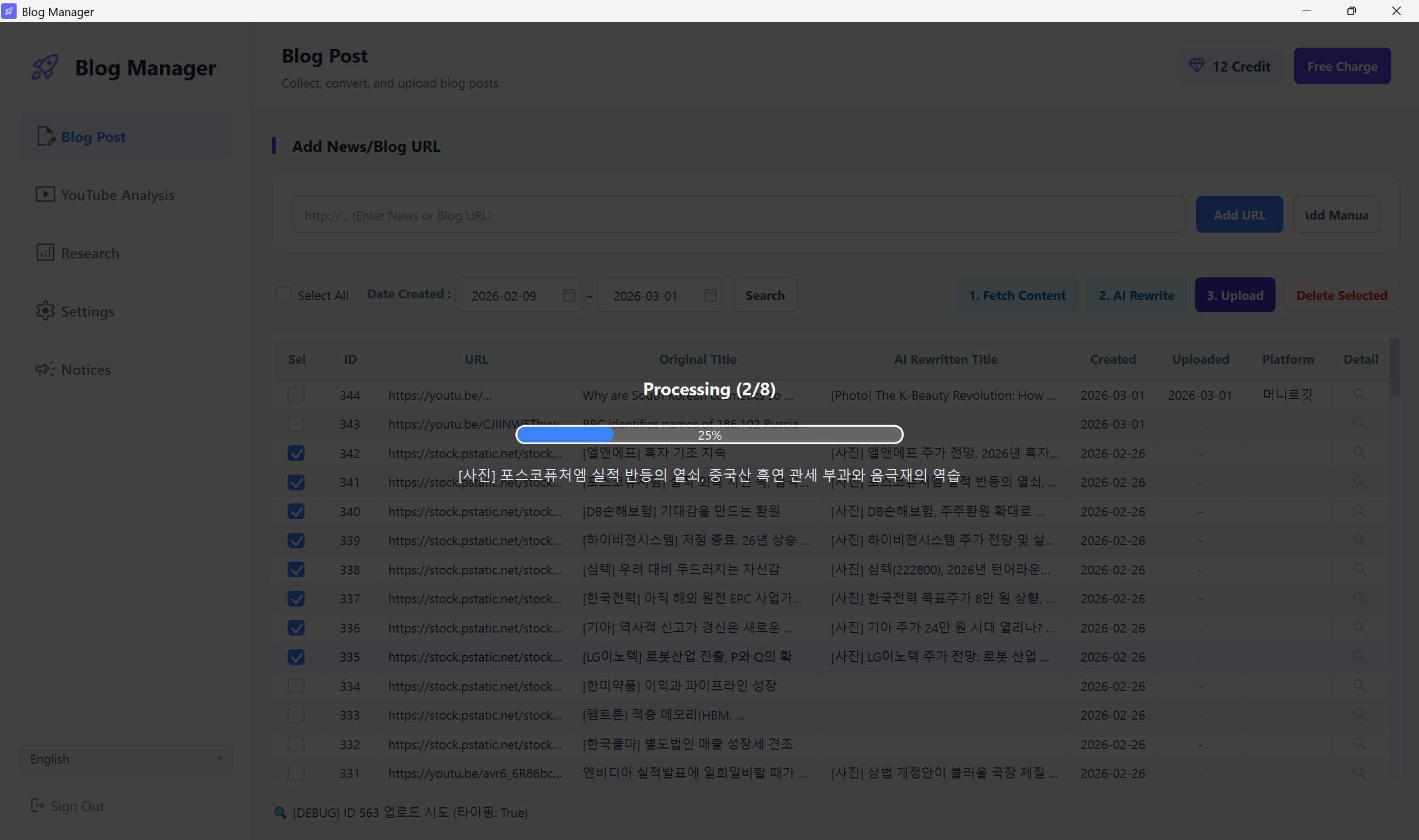
Beyond the limits of the web,
Background Batch Processing Queue
Freed from the shackles of IP blocking inherent in web-based services. Utilizing your PC's own network environment, dozens of manuscript transfer tasks are put into a queue and executed in batches. Leave the program running and enjoy a cup of coffee.
- Batch execute 10 or 20 selected items from the task list
- Perfect real-time integration with the Web Dashboard's Inbox